
Digital Exam Attendance
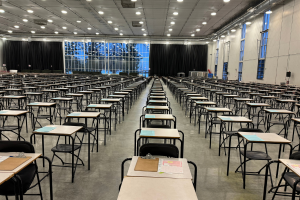
After piloting a new digital solution for tracking exam attendance, Carleton is implementing digital attendance for all April 2026 final exams.
How to Check-in for Your Exam
1. Arrive early. Plan to arrive at your exam location 10–15 minutes before the scheduled start time.
2. Scan the QR code. Look for the posted QR code outside your exam room/location and use your mobile device’s camera to open the Digital Exam Attendance form.
3. Sign in with MC1. Use your MC1 to sign into the Digital Exam Attendance form.
4. Select your course. Choose your course from the down menu to see your exam details.
5. Confirm your location. Ensure you are in the right location for your exam.
6. Check-in. Select the check-in button to check-in for your exam. If you don’t see the check-in button, refresh the page or try again closer to the scheduled exam time. You can confirm you have checked in for your exam by selecting “Submitted” in the left-hand menu.
7. Put away unauthorized items. After you check in, follow proctor instructions to store any items not permitted during the exam, including your mobile device.
8. Have your Campus Card ready. Be seated and keep your Campus Card (student ID) on your desk for validation.
9. Campus Card validation. After the first 30 minutes of the exam, proctoring staff will verify your student ID on your Campus Card against your check-in information.
If you need to use the washroom or leave the room during your exam, you will need to digitally check out and check back in with the designated proctor outside the exam room.
How can I prepare?
- Bring your student ID.
- Bring a mobile phone (or other personal device) to scan the QR code.
- Arrive 10 to 15 minutes early.

What if I Don’t Have a Mobile Device to Check-in for My Exam?
If you don’t have a mobile device available when you arrive at the exam location, you will be directed to check in manually with a proctor before being seated for your exam.
Provide Your Feedback
Feedback on the new digital exam attendance student experience can be submitted anonymously on the Scheduling and Examination Services (SES) website. We appreciate your help improving the exam-day experience for Carleton students.